
Observe, optimize, compare and decide
across AWS, Azure and Google Cloud
Thalaxo Cloud is a provider-neutral multi-cloud FinOps & decision platform for AWS, Azure and Google Cloud. Observe spend, optimize waste, compare providers and assess dependency. Nothing changes in your cloud without your approval.
01 — Observe
Connect your cloud accounts in minutes — no agent, no credentials stored
Thalaxo Cloud uses IAM role delegation exclusively. You grant read-only access via your provider’s native mechanism — AWS AssumeRole, Azure ARM, GCP Workload Identity. No password, no access key ever touches our servers.
Connect multiple accounts per provider
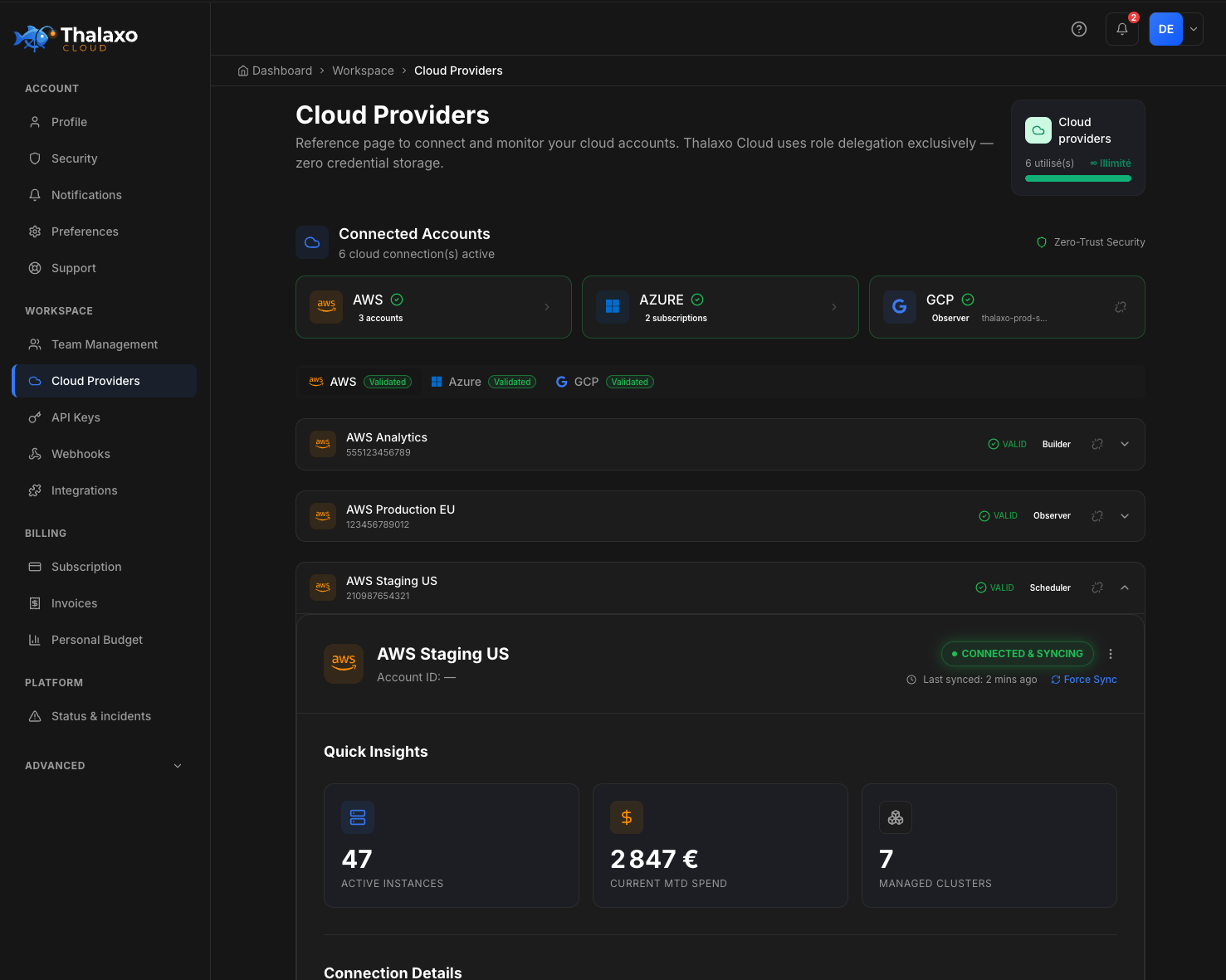
AWS (3 accounts), Azure (2 subscriptions), GCP — all in one workspace. Each account shows its validation status in real time.
You choose the permission level
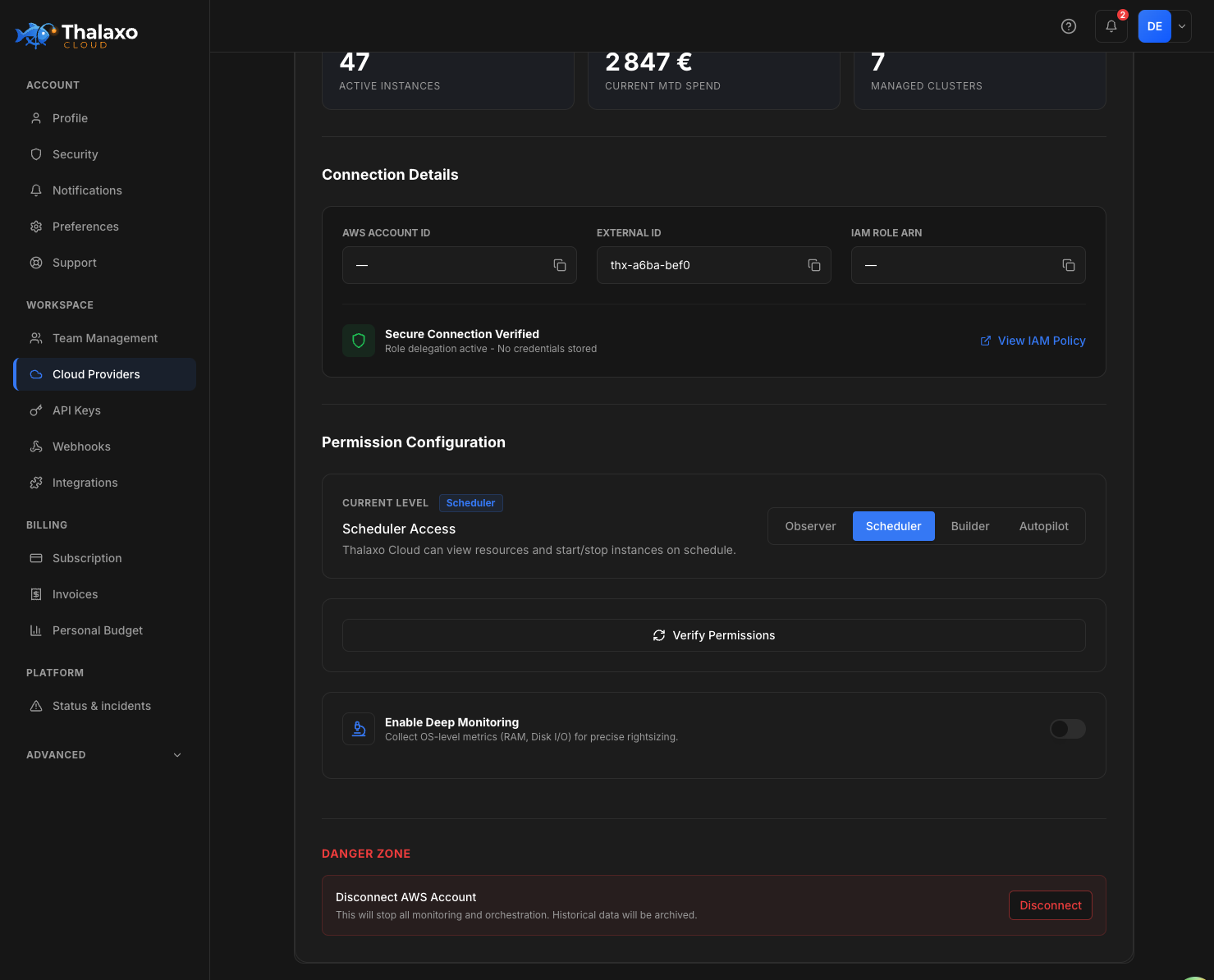
Observer (read-only) · Scheduler (start/stop) · Builder (resize + snapshots) · Autopilot (terminate). Upgrade or downgrade anytime.
Live sync, Quick Insights immediately
Once connected: active instances, current MTD spend and managed clusters appear instantly. No configuration needed.
Connect your cloud — in minutes
Zero credential storage
IAM role delegation only — no password, no access key stored on our servers.
Multi-account, multi-provider
AWS (3 accounts) + Azure (2 subscriptions) + GCP — all validated in one workspace.
Live sync from day one
47 active instances, €2,847 MTD spend visible immediately after connection.
View connection details — IAM configuration & permission levels
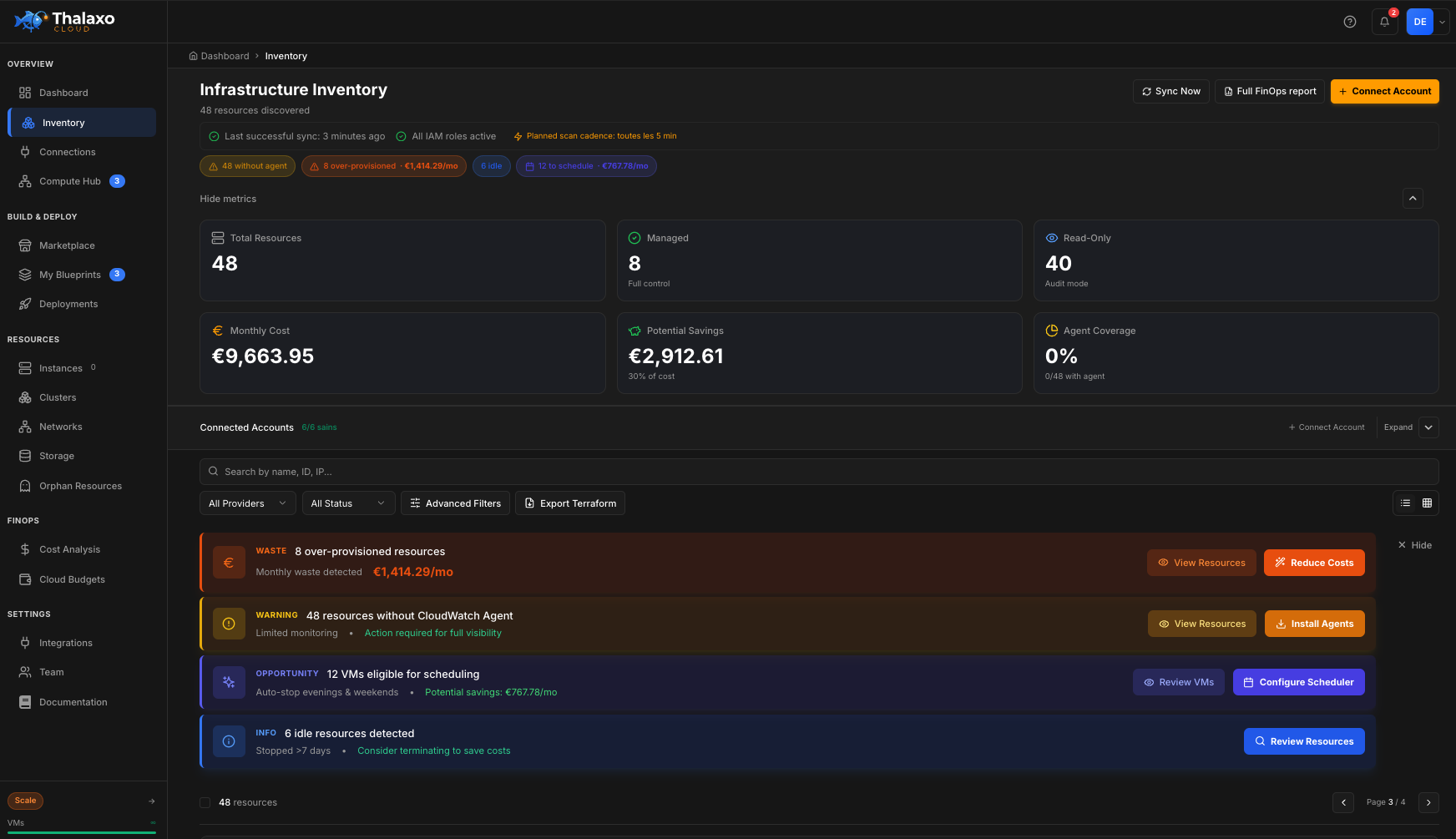
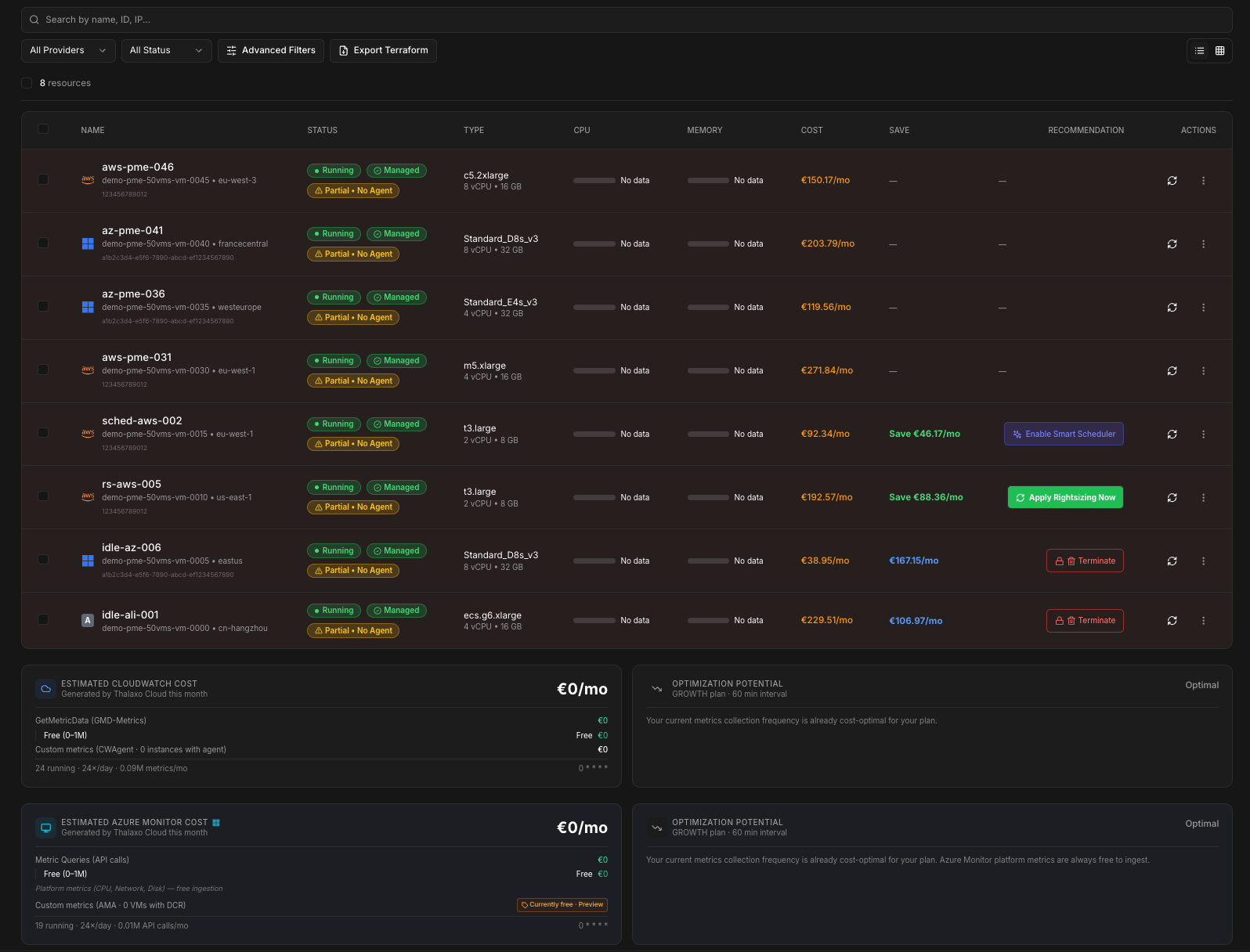
Unified inventory — all VMs across providers · Status · Region · Instance type · Estimated cost
View inventory detail — filters, instance breakdown & cost per VM
02 — Monitor & control
You control what changes in your cloud
Your cloud changes constantly — often without you noticing. Manual console edits silently diverge from your intended state and become cost and compliance problems.
From Growth+, Thalaxo Cloud compares each Stack’s baseline against its live state and alerts you the moment something diverges.
| Capability | Plan | What you get |
|---|---|---|
| Drift alerts | Growth+ | Email & in-app when console changes diverge from the Stack baseline |
| Auto-fix | Pro+ | Optional realignment toward expected state — triggered only after explicit activation, always audited |
| Terraform HCL export | Starter+ | Standard Terraform from your blueprints — portable IaC you own |
Drift detection monitors the gap between your Thalaxo Stack baseline and live cloud. It complements — not replaces — your existing Terraform/Git pipeline.
02 — Optimize
Where your money is leaking
Idle VMs, oversized instances, orphaned snapshots, budget overruns discovered too late — a significant share of cloud spend is invisible waste your team didn’t know existed.
Idle detection
VMs with near-zero utilisation — flagged with estimated monthly waste (Growth+)
Rightsizing
Instance-level recommendations vs 270k+ live configurations (Growth+)
Orphan scanner
Unattached EIPs, volumes and snapshots silently billing your account — made visible
Budget alerts
Per Stack or provider — notified before overspend, not after (Growth+)
Marketplace
150k+ configs — On-Demand, Reserved, Spot, GPU compared side-by-side
Smart Scheduler
Dev env shutdowns nights & weekends — your schedule, your rules (Growth+)
* Potential savings vary by infrastructure profile and provider mix. Based on Thalaxo Cloud analysis across customer accounts. Results not guaranteed. Cloud provider costs billed separately.
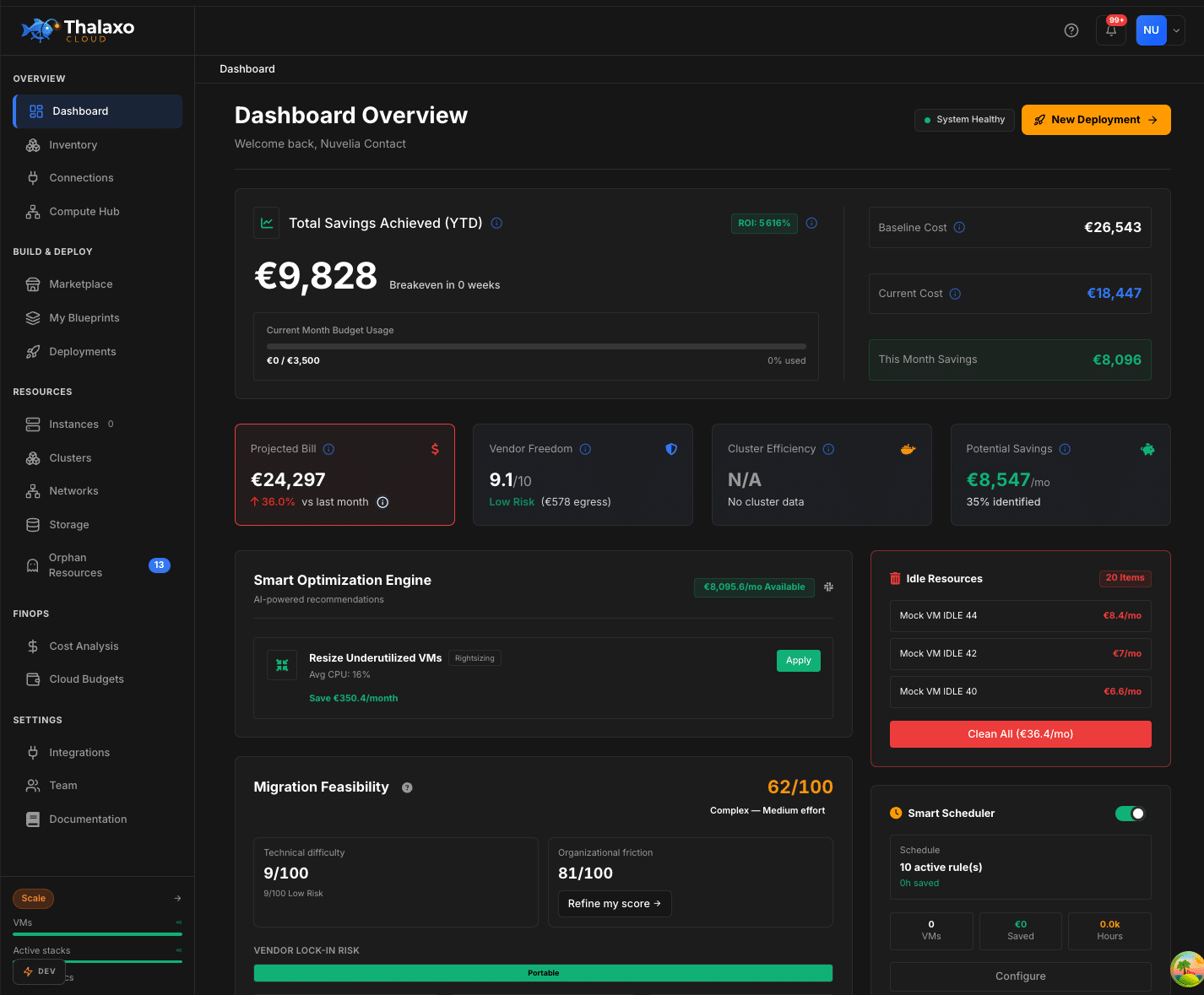
Smart Optimization Engine — Idle VMs · Oversized instances · Orphaned resources · Estimated savings
View waste breakdown — savings detail by category
04 — From recommendation to action
Act directly from the platform — no console switching
Most FinOps tools stop at recommendations. Your team still jumps between consoles, spreadsheets and pricing calculators to execute. Every action is human-triggered and logged in an immutable audit trail.
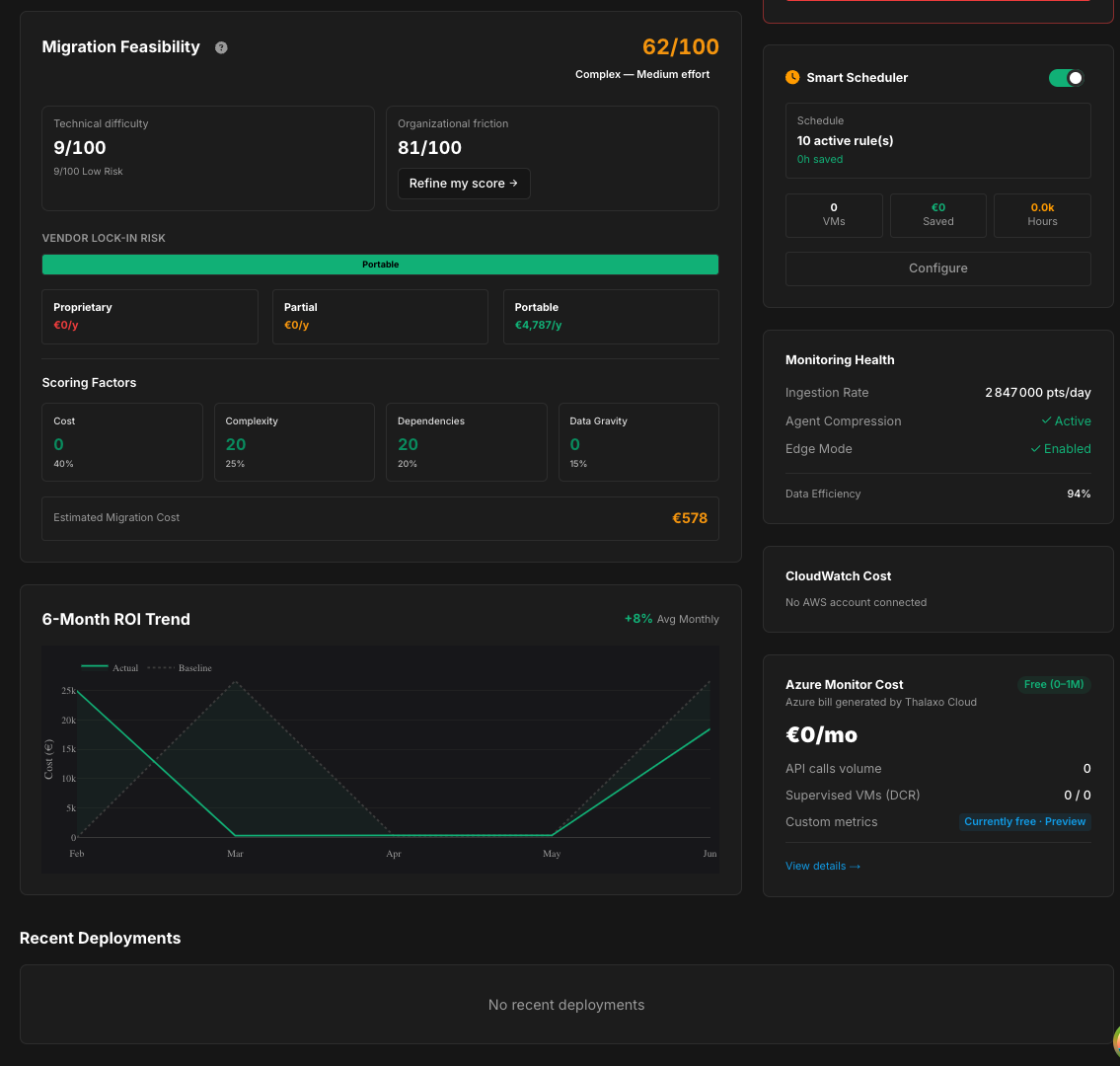
Smart Scheduler (Growth+)
Automate dev environment shutdowns without touching production — define your own schedule and rules.
Marketplace comparisons (All plans)
Pick On-Demand, Reserved or Spot with data, not gut feel. GPU filters, region, OS and compliance filters included.
Cloud operations — Observer → Autopilot (Starter+)
Start, stop, resize when you decide. New connections start read-only. Write access requires an explicit upgrade you control.
05 — Move (when it makes sense)
No lock-in, full portability
Single-provider tools optimize the cloud you already use. Thalaxo helps you decide whether that cloud should remain the best place to run each workload.
Export any Blueprint to standard Terraform HCL (Starter+). Your Stack design becomes portable infrastructure-as-code you own outright.